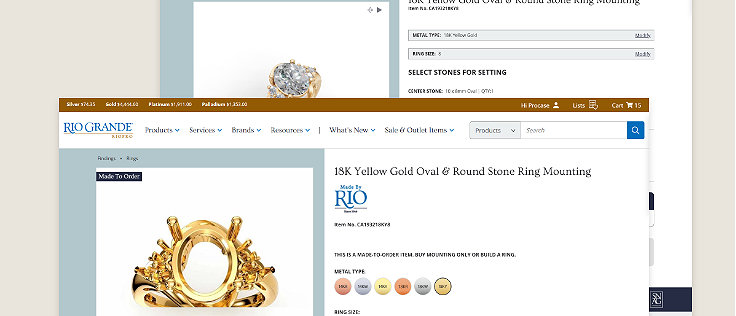
Rio Grande
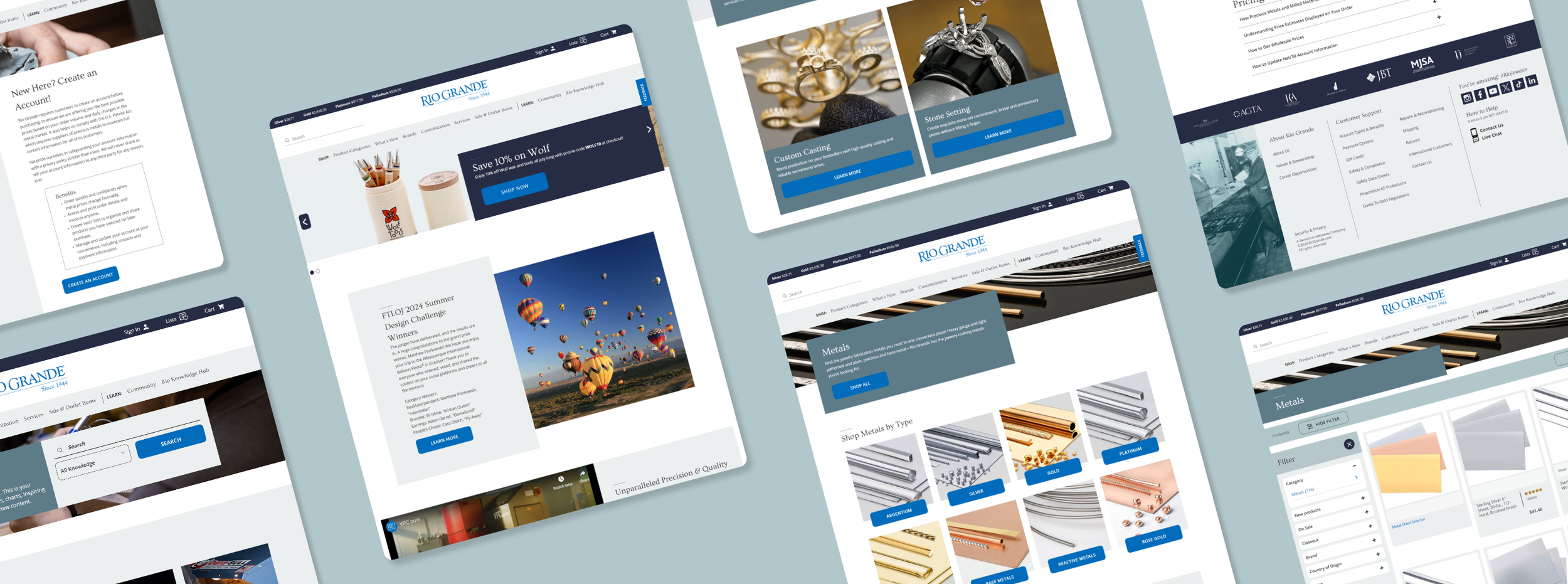
Revamping the metal sheet shopping interface, transitioning to streamlined filtering and quick view options.
Rio Grande | The Brand
Based in Albuquerque, NM, Rio Grande is a major player in the jewelry industry, offering a vast selection of more than 30,000 products from numerous brands. Catering to jewelers, manufacturers, and metalsmiths, their extensive catalog includes tools, materials, and gemstones. Celebrated for their commitment to the jewelry community, Rio Grande provides valuable educational resources and expert advice to enhance skills and support business growth.
Shopping for Metal Sheets
One of Rio Grande’s top-selling products is cut-to-order metal sheets, offering customers a diverse range of options including various metal types, colors, gauges, dimensions, and other attributes. To simplify the shopping experience, we use the mega PDP asa comprehensive solution. The ‘mega PDP’ concept is designed to streamline the process by consolidating all product configurations into a single, user-friendly interface.
The Problem
In the original design, navigating through different buttons was supposed to display the relevant product that matched the selected combination. However, since the attributes did not automatically adjust to fit an appropriate product, choosing a combination often resulted in no products being found. Users frequently called customer service to express frustration with finding metal sheets through the ‘mega PDPs,’ citing difficulties in quickly locating their desired products.
First Attempt
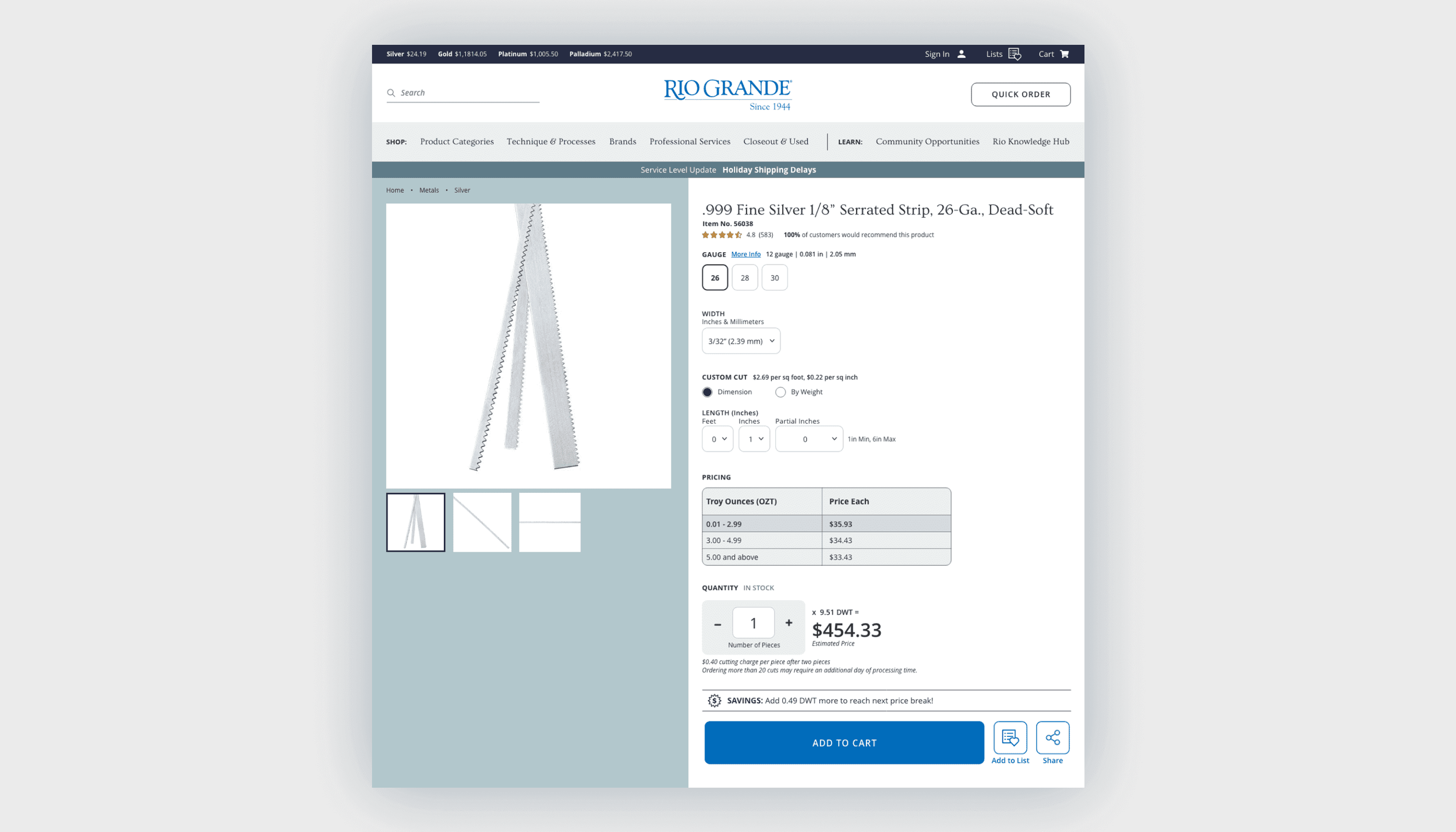
Our initial approach was to display available products in a table format, enabling users to see all options at a glance and preventing the selection of filter combinations with no available products.
I sought initial impressions from team members to refine the design and utilized usertesting.com to gather prompt insight on specific features and simulate the perspective of a typical user.
Through the process, I identified some key pain points. The design was not intuitive, and users had difficulty seeing additional products listed below the default tab, as the page was required to load with a specific product SKU. Additionally, filtering through product attributes was cumbersome, making it challenging to find relevant products.
Back to the drawing board
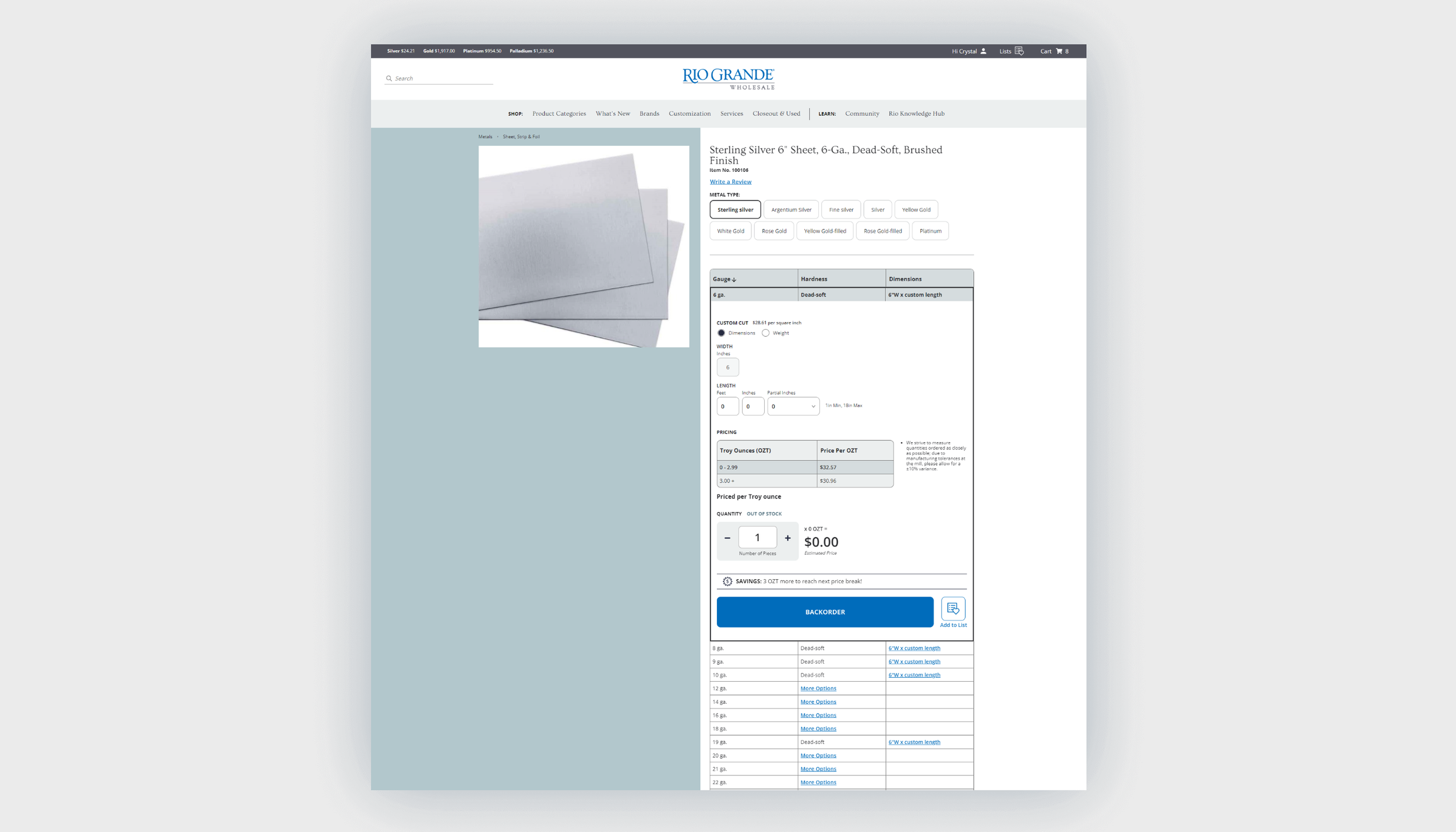
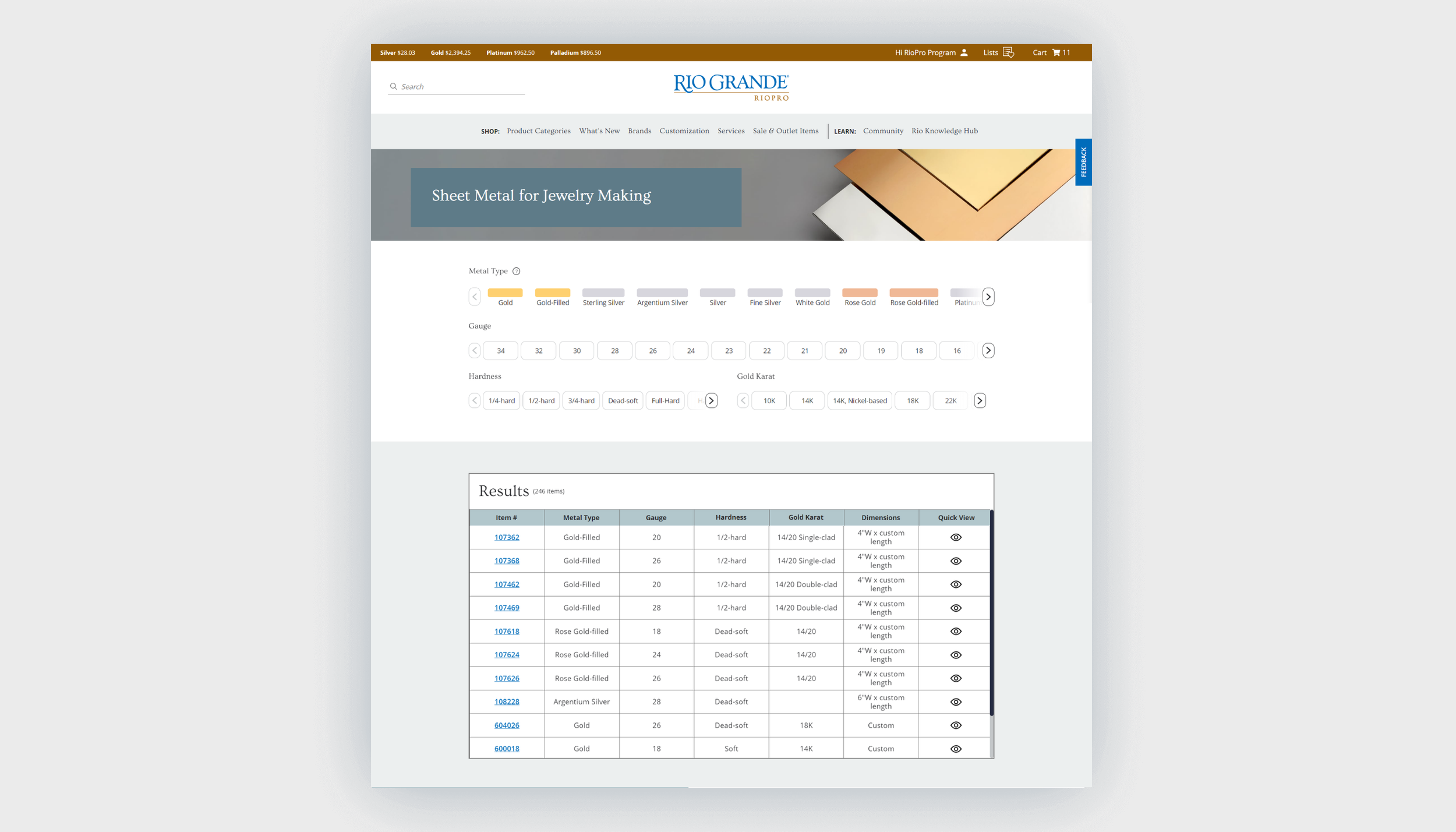
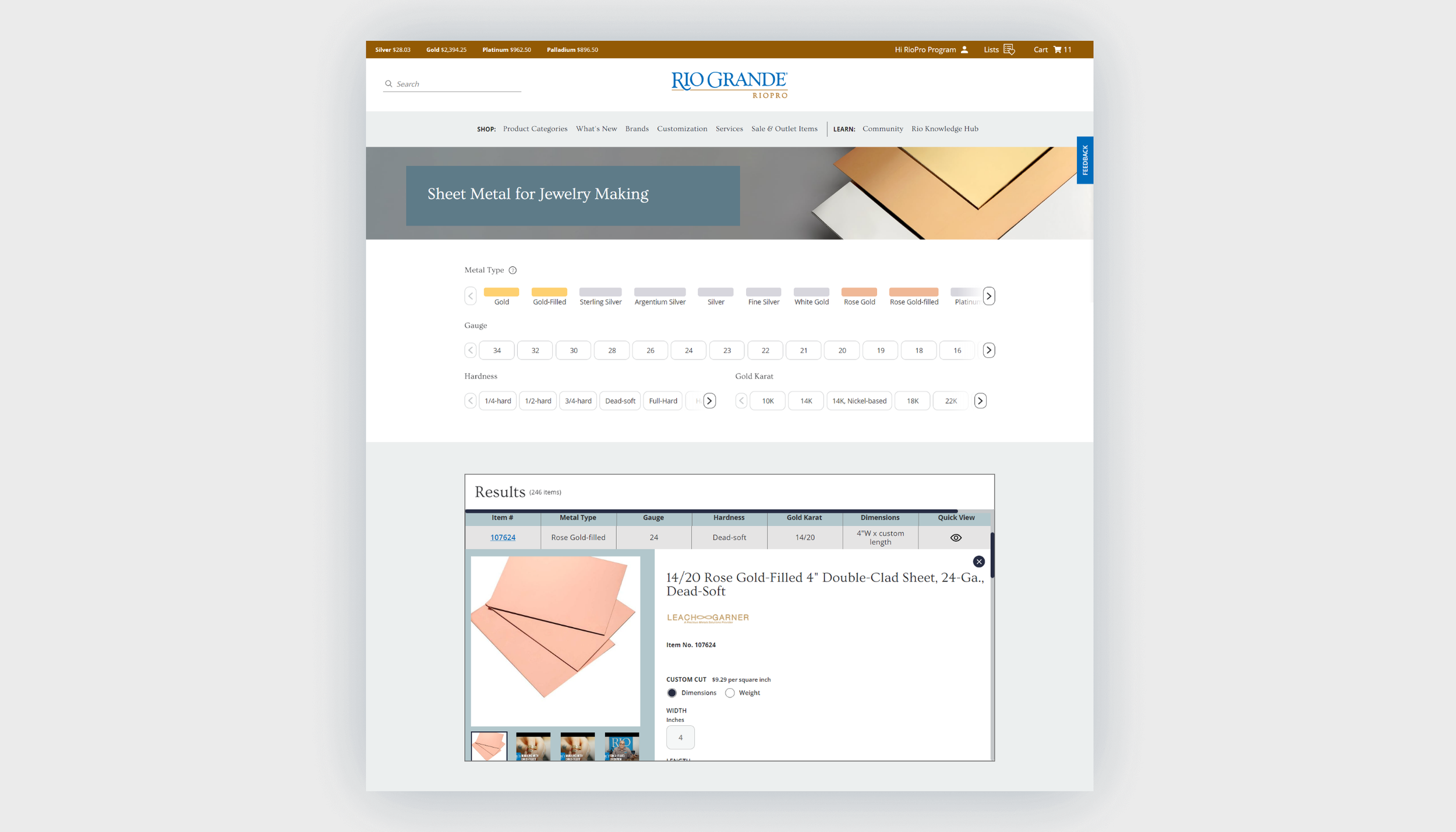
Based on user feedback from both the original design and initial revisions, we reimagined the megaPDP experience to resemble a traditional product listing page. The new design allows users to view all filter attributes at a glance and easily access all available products. This change also addresses the technical issue of requiring a product SKU to load when users access the megaPDP.
To streamline the browsing experience, I simplified the metal type indication to colored buttons, as distinguishing between similar photos of metal sheets was not critical during the selection process. Additionally, I incorporated a quick view module that provides relevant product information without requiring users to navigate to a new page.
User testing confirmed that this new approach was the preferred method for shopping for metal sheets. It took less effort for users to learn the new configuration process.
Impact
After the launch, our analytic team monitored how the new layout affected key metrics. The findings revealed a significant boost in metal sheet sales. With the success of the new layout, there are plans to expand into other product categories.
More From My Time at Rio Grande